
Software for aluminium joinery: workshops, factories, installers and resellers
Drawing, pricing, cutting lists and quotes for your aluminium windows and doors, on your own profile systems: software for the workshop, the factory and the installer.
Software for every trade in aluminium joinery
Everyone finds what they need every day, without switching tools.
Fabricate
-
Aluminium joinery workshops
Price every enquiry the same day and print the production sheet for the workshop.
-
Factories and manufacturers
Optimise cutting on large volumes and keep the price lists for the whole system up to date.
Install, sell and design
-
Installers and fitters
Price a job without dimension errors and order the right bar lengths.
-
Resellers and distributors
Derived price lists, with discounts, for each type of customer.
-
Design offices
Set up profile systems, formulas and rules, and check façades with the structural calculation (option).
How a workshop prices an order with CUTTER SOFT
Set up your system: once only. Steps 2 to 4: a few minutes.
- 1
Set up your system
Profiles, hardware, gaskets, glazing, formulas and IF/THEN rules.
- 2
Enter W × H
For each item in the order, with its colour and options.
- 3
Calculate
Cuts and angles, hardware, gaskets, glazing, cost price and selling price; bars optimised.
- 4
Print the documents
9 PDF documents: product list, item sheet, production sheet, bill of materials, optimisation, cost price, quote, glazing and panel lists. Excel and CSV exports.
Your aluminium profile systems, local or imported
Any profile system, no supplier imposed: you create your series, profiles, hardware and price lists, or we set up your system with you. Your formulas and your rules stay yours, and a mixed workshop handles aluminium and PVC in the same software.
Pricing, cutting lists, quotes: the key features for the workshop
Pricing and quotes
The cost price, selling price and margin of each item, then a PDF quote on your workshop’s letterhead.
Cutting lists and optimisation
Every cut calculated, and the bars combined to reduce offcuts.
Projects and team
Projects, price lists and roles: everyone works within their role, and the setup stays protected.
All your aluminium products in one program
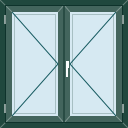
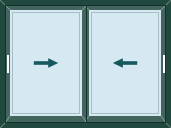
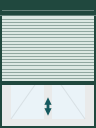
Casements, doors, sliding and lift-and-slide doors, fixed lights, roller shutters, curtain walls, partitions, balustrades and composite frames: each one is drawn, priced and cut.


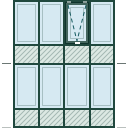
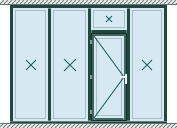
Composite frames
Several products brought together in one frame by mullions and transoms: one drawing, one quote.
-
 Tilt and turn over a panel
 -
 2 sashes under a transom
 -
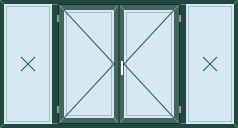 2 sashes between side lights
 -
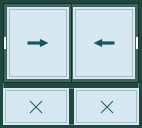 Slider over fixed lights
 -
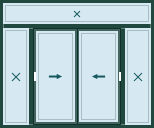 Slider, side lights and transom
 -
 Door, side light and transom
Try before you buy: the free 15-day trial
CUTTER SOFT is not free software, but you can try it free for 15 days on your own jobs. It is then sold as a subscription or a lifetime licence.
- 1
Install
Download the installer and follow the wizard: language, terms of use, folder, Finish.
- 2
Request your key
On first launch, click “Try for free” and fill in the form. The key arrives by email.
- 3
Price
Activate the key and price your first project, from drawing to quote.
Windows 10 or 11. An Internet connection is required at activation and at each launch.
CUTTER SOFT AI: describe the order, it prepares the pricing
Describe the order as you would to a colleague, or attach the customer’s Excel or PDF quote: CUTTER SOFT AI builds the project and prices it on your own setup. Nothing is saved without your approval.
CUTTER SOFT AI is included in every licence. It runs on rechargeable credits (offer on request).
-
“Price this 45-item take-off in RAL 7016, 32 mm double glazing, with a 25% margin.”
Aluminium workshops equipped across Morocco
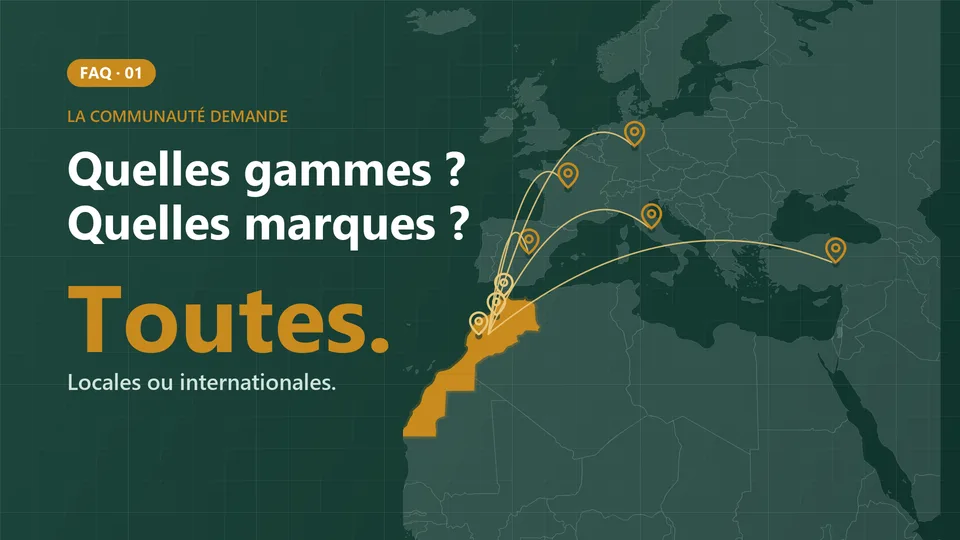
The No. 1 aluminium joinery software in Morocco, born in a Casablanca workshop, with 12 years of expertise in the Moroccan and African market: workshops, factories, installers and distributors price their jobs with it.
12 years
of expertise in the Moroccan and African market
6
countries and territories equipped
Morocco, Mauritania, Senegal, Algeria, Tunisia, Réunion
Frequently asked questions about aluminium joinery software
Does it run on a Mac?
No. CUTTER SOFT is Windows software: it installs on Windows 10 or 11.
Do I need an Internet connection?
Yes, at activation and each time the software is launched.
Which languages?
The interface is available in French, English and Spanish.
How do I learn to use the software?
With the training videos, module by module, and a 30-minute remote demo on a job like yours. Inside the software, the help on each screen and CUTTER SOFT AI answer your questions.
How is CUTTER SOFT sold?
As a subscription and as a lifetime licence. No prices are published: the offer is made on request, to suit your workshop.
Find out more
- Software
The full CUTTER SOFT V6 PRO overview
Features, options and requirements.
- Windows and doors
Windows, doors and sliders
From casement to composite frame.

- Windows and doors
Roller shutters
Pricing aluminium roller shutters.

- Windows and doors
Curtain walls
Designing and pricing façades.

- Software
Pricing and quotes
From W × H to a PDF quote.
- Software
Licences
Subscription or lifetime licence.