
CUTTER SOFT V6 PRO: one program to price, cut, optimise and quote all your aluminium and PVC windows and doors
One program to price, cut, optimise and quote, for technicians, workshops, resellers and profile system suppliers.
All your aluminium and PVC joinery in one program
Windows, doors, sliding and lift-and-slide doors, fixed lights, roller shutters, curtain walls, partitions, balustrades and composite frames: you draw, price and cut them all in the same place.


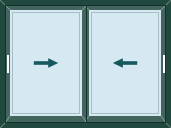

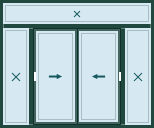

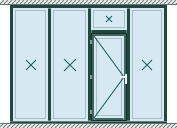
Works with any profile system, no supplier imposed
CUTTER SOFT V6 PRO is not tied to any system. You add your own profiles, hardware, gaskets, glazing, panels, colours (RAL powder coating, anodising, sublimation), formulas and IF/THEN rules, in aluminium or PVC, for a local or imported system.
Would you rather not enter it all yourself? Our team prepares your session with you.
Price, cut, quote and run the workshop
Each feature has its own detailed page: here is the essence of CUTTER SOFT V6 PRO.
Estimating: cost price, selling price and margin calculated automatically
Choose the product and its options, then the width and height. Cuts, hardware, gaskets and glazing are calculated, then priced with your price lists and your margin.
Cutting lists and cutting optimisation: bars put to good use
Lengths, angles and quantities for every cut, three optimisation modes and reusable offcuts: the workshop cuts accurately, with less waste.
Quotes and PDF documents in your own branding
The quote comes out on your letterhead, simple for the customer or detailed for you, with 8 other documents including the production sheet, the bill of materials and the cost price. Automatic numbering, Excel and CSV exports.
Projects, price lists and roles for the whole team
One project per order, prices per kilo by series or per m² by colour, derived price lists with discounts, and a role for everyone.
- Administrator
- Pages and workstations
- Technician
- All pages
- Operator
- Projects and quotes
The assistant that works inside your software
CUTTER SOFT AI answers questions about your setup, configures your profile systems and builds a priced project from a request or from a customer’s Excel or PDF quote. Every change goes through a card that you approve.
CUTTER SOFT AI is included in every licence. It runs on rechargeable credits (offer on request).
-
“Price this 45-item take-off in RAL 7016, 32 mm double glazing, with a 25% margin.”
Roller shutters, curtain walls, partitions and composite frames
Windows come as inward and outward-opening casements, tilt-and-turn, bottom-hung, top-hung projecting, pivot or vertical sliding. Aluminium windows, doors and sliders come together in composite frames, drawn cell by cell.
Roller shutters, with foam-filled or extruded slats, go into the same project as the window: see the roller shutter quoting software. Façades are drawn on a grid of mullions and transoms with the curtain wall software. Partitions, slimline ones included, and balustrades follow your rules.
Options: structural calculation, machine export, Odoo connector
They are added to your licence when your workshop needs them.
-
Wind load and deflection calculation
OptionEvery mullion checked against the wind in your area, every transom against the weight of the glass, then a PDF report. Standards: NV65 Morocco, Eurocode 9, RNV 2013 Algeria, NV65 Tunisia.
-
Machine export
OptionOptimised cuts are sent to a file for a double-mitre saw or a cutting bench, in a configurable format.
-
Odoo 17 and 18 connector
OptionA project’s bill of materials is sent to an existing Odoo quotation. Invoicing, purchase orders and stock are handled in Odoo.
Who is it for? Technicians, workshops, resellers and system suppliers
Design and manufacture
-
Technicians and design offices
They set up profile systems, formulas and IF/THEN rules, and check every cut.
-
Workshops, factories and installers
They price quickly and print manufacturing sheets and cutting plans for the workshop.
Sell and distribute
-
Resellers and distributors
Derived price lists, with discounts, for each type of customer.
-
System suppliers
Their catalogue travels through their network in sessions that are exported, shared and updated.
-
Sales staff, with the Operator role
They price jobs and print quotes; the technical configuration stays locked.
Built-in support, help on every screen, Google Drive backup
Got a question? Ask CUTTER SOFT AI first, inside the software. To reach our team, open a ticket from any screen: you follow the conversation without leaving CUTTER SOFT.
On every page, the “?” button opens the help for the screen you are on. Your sessions are backed up automatically to your Google Drive: after a breakdown, or on a new computer, you get them back.
System requirements
- System
- Windows 10 and 11
- Disk space
- At least 5 GB free 500 MB for the software, the rest for your databases
- Internet
- At activation and each time it starts
- Languages
- French, English and Spanish
Internet is also used for the Google Drive backup and for CUTTER SOFT AI. CUTTER SOFT is Windows software: there is no Mac or mobile version.
Frequently asked questions about CUTTER SOFT V6 PRO
Which products does CUTTER SOFT V6 PRO handle?
Casement windows, doors, sliding and lift-and-slide doors, fixed lights, roller shutters with foam-filled or extruded slats, curtain walls, partitions including slimline ones, balustrades and composite frames, in aluminium or PVC.
Which profile systems does CUTTER SOFT work with?
Any profile system, no supplier imposed: you create your profile systems, series, profiles, hardware and price lists, or our team prepares your session.
Can my sales staff use it without technical training?
Yes, with the Operator role: they create projects, price jobs and print quotes, with no access to the technical setup or the price lists, which stay under the design office’s control.
Do I need an Internet connection?
Yes, at activation and each time the software is launched.
Is my data safe?
Your sessions stay on your computers and can be backed up automatically to your own Google Drive. CUTTER SOFT AI never sends your logins, connector keys or company details.
Is the trial free?
Yes, for 15 days. Download the installer, install it, then click “Try for free” in the activation window. The key arrives by email: remember to check your spam folder.
Find out more
- Software
Pricing and quotes
From W × H to a PDF quote.
- Software
Cutting lists and optimisation
Accurate cuts, fewer offcuts.
- Software
Running the workshop
Projects, price lists and roles.
- Software
CUTTER SOFT AI
The assistant that prices jobs with you.
- Software
Licences
Subscription or lifetime licence.
- Software
What’s new
What changes in each version.