
Pricing and quoting aluminium and PVC windows and doors: from W × H to a PDF quote
You enter the width and height; CUTTER SOFT calculates the cuts, the glazing, the cost price and the margin, then prints the quote.
From W × H to a PDF quote in 4 steps
Set up the system: once only. Steps 2 to 4: a few minutes.
- 1
Set up the system
Profiles, hardware, gaskets, glazing, panels, formulas and IF/THEN rules.
- 2
Create the project
Add windows, doors and composite frames: W × H, colour, glazing and options.
- 3
Calculate
Cuts, hardware, gaskets, glazing and panels are calculated, then priced.
- 4
Print the quote
The PDF quote goes to the customer, the production sheet to the workshop.
Accurate prices: price lists, prices per kilo and colours
Each series has its price per kilo, each colour its price per m²: RAL powder coating, anodising, sublimation. Other products are priced per unit or by formula.
One price list can be derived from another, with an automatic discount by product type: a public price list, a reseller one, a key account one. You enter prices excluding or including VAT, with your VAT rate and the currency of your choice.
Price lists and projects are managed together: see price lists and projects.
Cost price, margin and extra costs visible before you send
Before the quote goes out, you can see what the job costs you and what it earns you.
Job margin and extra costs
The margin is a percentage or a fixed amount; delivery, installation and other costs are added to the job and included in the selling price.
- Margin
- Percentage or fixed amount
- Extra costs
- Delivery, installation…
Cost price
One document details what the profiles, hardware, glazing and extra costs come to, before the quote goes out.
VAT and currency
Prices are entered excluding or including VAT, with your VAT rate, in your customers’ currency.
- Entry
- Excl. or incl. VAT
- Currency
- Your choice
A PDF quote on your letterhead, simple or detailed
The quote carries your logo, your contact details and your tax information, a drawing of each frame and prices excluding and including VAT. The simple version goes to the customer; the detailed one stays with you.
Projects and quotes are numbered automatically, with no duplicates (PRJ-00001, DEV-00001). Alongside the quote come 8 other documents, including the production sheet, the bill of materials, the cost price and the glazing and panel lists, plus an Excel or CSV export.
How long does a quote take?
By hand or in Excel, pricing a job takes hours; with CUTTER SOFT, minutes. More quotes sent, more jobs won.
- By hand or in Excel
- 2-4 h
- With CUTTER SOFT
- 15-30 min
Pricing a customer’s take-off with CUTTER SOFT AI
Attach the customer’s quote or take-off, in Excel, CSV, column-based PDF or plain text: CUTTER SOFT AI matches each line to the frames in your session, asks its questions, then prepares up to 500 lines under a single approval card.
CUTTER SOFT AI is included in every licence. It runs on rechargeable credits (offer on request).
-
“Price this 45-item take-off in RAL 7016, 32 mm double glazing, with a 25% margin.”
Videos: from a new project to pricing and the quote
A complete project, from creating the customer to the quote, in the training videos (in French).
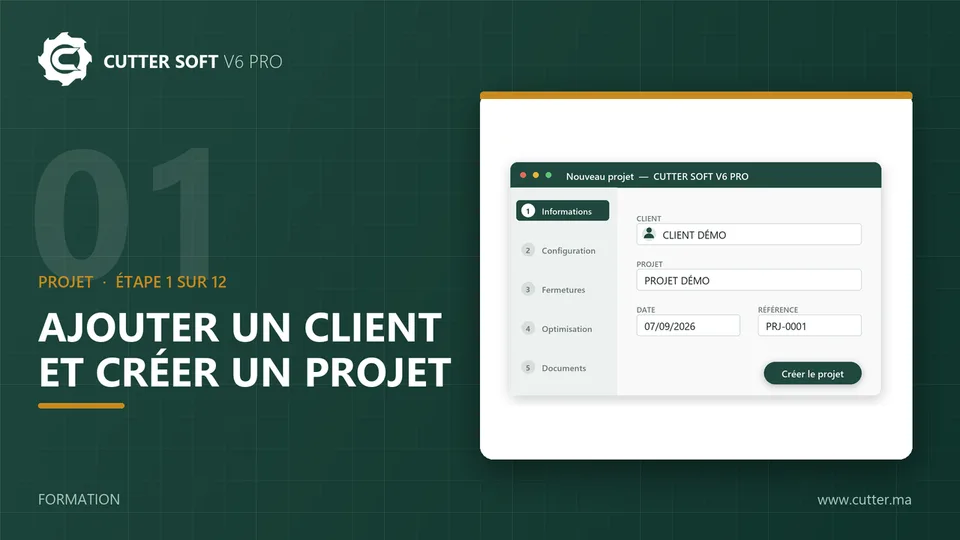
Frequently asked questions about pricing
Is there free window quoting software?
CUTTER SOFT is not free software, but you can try it free for 15 days on your own jobs. It is then sold as a subscription or a lifetime licence, with an offer made on request.
Can I keep my Excel files?
For exchanging data, yes: CUTTER SOFT AI reads a customer’s Excel take-off or quote, and every project can be exported to Excel or CSV. The pricing itself is done in the software, with your formulas and your price lists.
Can roller shutters and curtain walls be priced too?
Yes. The roller shutter goes into the same project as the window, with a single quote, and the curtain wall is priced from its grid.
Can the quote be in euros or another currency?
Yes. You choose the currency in the settings, and prices are entered excluding or including VAT, with your VAT rate.
Articles on quoting and pricing
Fast pricing and quotes: how CUTTER SOFT can make your workshop more profitable
Excel or joinery software? Time, errors, margin: what really changes when you price aluminium and PVC windows and doors, and how to measure the gain yourself.
Find out more
- Software
CUTTER SOFT V6 PRO
Every feature of the software.
- Software
Bar cutting optimisation
Aluminium cutting lists, fewer offcuts.
- Software
Price lists and projects
Price lists, projects and team roles.
- Windows and doors
Roller shutter pricing
Slats, guide rails, tube and motor.

- Software
CUTTER SOFT AI
Price a take-off in a single request.