
Running an aluminium fabrication business: customers, projects and teams in one program
Customers, projects, price lists and team roles: your business is organised around its jobs, in the same software that prices them.
What CUTTER SOFT manages in your business
CUTTER SOFT keeps everything that runs an aluminium and PVC fabrication business in one place, from the first contact to the signed quote:
- contacts, sorted into customers, suppliers, profile system suppliers and users;
- projects, one per order, with their documents;
- price lists and their discounts;
- team roles and workstations;
- profile system sessions, backed up to Google Drive.
Customers and projects: one file per job
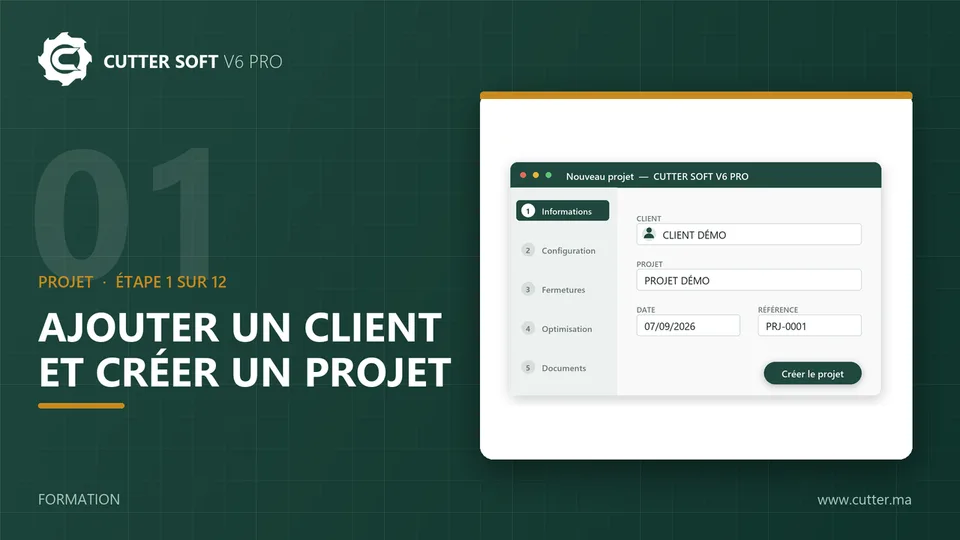
Every order becomes a project, with its customer and its status: in progress, completed, cancelled or on hold. The project number is assigned with no duplicates (PRJ-00001), the quote number the first time a quote is generated (DEV-00001).
The project keeps its marks, its calculations and its 9 PDF documents: quote, production sheet, bill of materials, cutting plan, cost price.
Price lists: public, reseller, key account
One base price list, then as many derived lists as you have types of customer.
The base price list
Prices per kilo by series, per m² by colour, per product or by formula.
- Profiles
- Price per kilo by series
- Colours
- Price per m²
Derived price lists
A reseller or key account list is derived from the public one, with a discount percentage by product type.
A project repriced in one click
Change a project’s price list and the whole project is repriced. VAT, entry excluding or including VAT and currency are set once.
- Entry
- Excl. or incl. VAT
- Currency
- Your choice
Administrator, Technician and Operator roles
Each user works within their role. These are the default roles: access for each one can be adapted to your organisation, and CUTTER SOFT AI respects the role of whoever is talking to it.
- Administrator: all pages, plus workstation management.
- Technician: all pages, technical setup included.
- Operator: home, projects, contacts, connectors and support. Operators price jobs and print quotes without touching the technical setup or the price lists.
Sessions backed up to Google Drive
One session per profile system or per customer, which you can export, share and update.
- 1
Set up the backup
The automatic backup goes to your Google Drive, anywhere from every 15 minutes to every 4 hours. - 2
Change computers
After a breakdown, or on a new computer, install CUTTER SOFT and connect your Google Drive. - 3
Recover the session
Import the session from Google Drive, or replace your local session with the Drive version to pick up the latest backup.
Built-in support: your tickets from inside the software
A ticket is opened from the software, with its status, its priority and its messages. Every screen has its own help, and our team posts announcements directly in CUTTER SOFT.
Before writing to us, ask CUTTER SOFT AI: it answers questions about your setup and your projects.
Odoo connector (option): invoicing and stock in your ERP
OptionThe Odoo 17 and 18 connector sends a project’s bill of materials to an existing Odoo quotation: it creates a product for each window or door, with its manufacturing bill of materials, and adds the lines to the quotation. Invoicing, purchase orders and stock are then handled in Odoo.
On video: projects, sessions and tickets
Training videos in French, with the software on screen.
What CUTTER SOFT does not do
-
Does not do
No full stock management
Stock is managed in Odoo, with the Odoo connector (option).
-
Does not do
No invoicing
Invoices and purchase orders are handled in Odoo, with the same connector.
Frequently asked questions about management
Is CUTTER SOFT an ERP?
No. CUTTER SOFT manages your contacts, projects, price lists and team roles, but not full stock management or invoicing. For those, the Odoo connector (option) sends your projects to Odoo.
Can the access for each role be adjusted?
Yes. Administrator, Technician and Operator are the default roles; what each one can access can be adapted to your organisation.
What happens if my computer breaks down?
If the Google Drive backup is set up, you install CUTTER SOFT on another computer and recover your sessions from your Google Drive.
Which versions of Odoo does the connector work with?
Odoo 17 and 18. The connector is an option: a project’s bill of materials is sent to an existing Odoo quotation, with one product per window or door.
Articles on management and going digital
CUTTER SOFT and Odoo: complete management for aluminium and PVC joinery
The CUTTER SOFT V6 PRO Odoo connector sends a project’s bill of materials to an Odoo quotation: one product and one manufacturing bill of materials per unit, no re-keying.
-
Digitalising the business processes of an aluminium joinery: the CUTTER SOFT example
Quotes, cutting, production, invoicing: where to start digitalising the business processes of an aluminium and PVC joinery, and with which tools.